次の記事 >
click イベント
[Vue.js]Hello, World
公開日:2026-02-18
更新日:2026-02-18
更新日:2026-02-18
1. 概要
Vue.js のひな形の Hello, World の説明です。
動作確認:Vite 7.3.1、Vue.js 3.5.25
動作確認:Vite 7.3.1、Vue.js 3.5.25
2. プロジェクトの作成
「TypeScriptのプロジェクトの作成」を参考にして作成してください。
Select a framework では、Vue を選択してください。
Select a framework では、Vue を選択してください。
コマンド
*  Select a framework:
|    Vanilla
|  > Vue
|    React
|    Preact
  :
  :
3. プロジェクトの説明
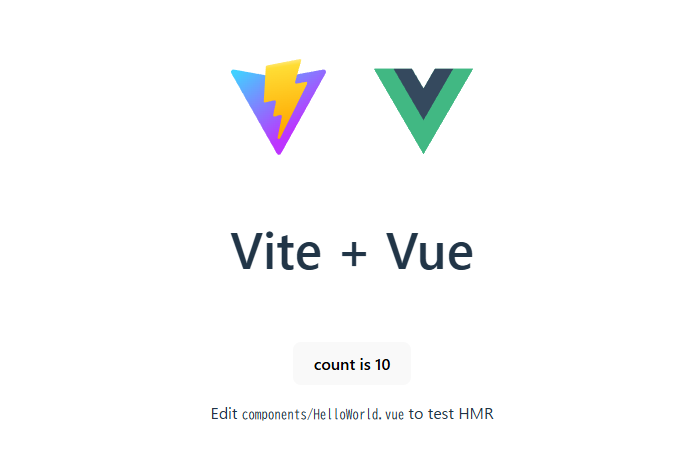
デフォルトでは、中央の「count is」をクリックすると、数値がカウントアップするようになっています。
<script> に処理、
<template> に出力内容、
<style> にスタイルを定義します。
3.1 index.html
コード
<!doctype html>
<html lang="en">
  <head>
    <meta charset="UTF-8" />
    <link rel="icon" type="image/svg+xml" href="/vite.svg" />
    <meta name="viewport" content="width=device-width, initial-scale=1.0" />
    <title>Vue.js</title>
  </head>
  <body>
    <!-- Vue.js のアプリを割り当てる要素。app は合わせれば変更可能。 -->
    <div id="app"></div>

    <!-- main.ts の読み込み。TypeScript のエントリーポイントになる。 -->
    <script type="module" src="/src/main.ts"></script>
  </body>
</html>
3.2 src/main.ts
コード
import { createApp } from 'vue'

// CSS をビルド対象にします。
// TypeScript のコードから CSS を操作するためのものではありません。
import './style.css'

import App from './App.vue'

// App.vue を Vue.js のアプリとして生成して、
// id="app" の DOM 要素にアプリを割り当てます。
createApp(App).mount('#app')
3.3 src/App.vue
コード
<script setup lang="ts">
// <HelloWorld> を使えるようにします。
import HelloWorld from './components/HelloWorld.vue'
</script>

<template>
  <div>
    <a href="https://vite.dev" target="_blank">
      <!-- 「/」で始まっているため、public 配下のファイルを参照します。 -->
      <img src="/vite.svg" class="logo" alt="Vite logo" />
    </a>
    <a href="https://vuejs.org/" target="_blank">
      <!-- 「./」で始まっているため、src 配下のファイルを参照します。 -->
      <img src="./assets/vue.svg" class="logo vue" alt="Vue logo" />
    </a>
  </div>

  <!-- HelloWorld.vue のコンポーネントを出力します。msg はコンポーネントに渡す属性です。 -->
  <HelloWorld msg="Vite + Vue" />
</template>

<style scoped>
.logo {
  height: 6em;
  padding: 1.5em;
  will-change: filter;
  transition: filter 300ms;
}
.logo:hover {
  filter: drop-shadow(0 0 2em #646cffaa);
}
.logo.vue:hover {
  filter: drop-shadow(0 0 2em #42b883aa);
}
</style><script> に処理、
<template> に出力内容、
<style> にスタイルを定義します。
3.4 src/components/HelloWorld.vue
コード
<script setup lang="ts">
import { ref } from 'vue'

// コンポーネントのプロパティの定義
defineProps<{ msg: string }>()

// リアクティブなオブジェクトの生成。count が変更されると、{{ count }} に反映される。
const count = ref(0)
</script>

<template>
  <h1>{{ msg }}</h1>

  <div class="card">
    <!-- クリックされたら count を増やす。{{ count }} で count の表示 -->
    <button type="button" @click="count++">count is {{ count }}</button>
    <p>
      Edit
      <code>components/HelloWorld.vue</code> to test HMR
    </p>
  </div>

  <p>
    Check out
    <a href="https://vuejs.org/guide/quick-start.html#local" target="_blank"
      >create-vue</a
    >, the official Vue + Vite starter
  </p>
  <p>
    Learn more about IDE Support for Vue in the
    <a
      href="https://vuejs.org/guide/scaling-up/tooling.html#ide-support"
      target="_blank"
      >Vue Docs Scaling up Guide</a
    >.
  </p>
  <p class="read-the-docs">Click on the Vite and Vue logos to learn more</p>
</template>

<style scoped>
.read-the-docs {
  color: #888;
}
</style>
4. シンプルな Hello, World のコンポーネントの追加
次のファイルを追加します。
src/components/HelloWorld2.vue
src/App.vue に HelloWorld2 を追加します。
src/components/HelloWorld2.vue
コード
<script setup lang="ts">
defineProps<{ msg: string }>()
</script>

<template>
  <h1>{{ msg }}</h1>
</template>

<style scoped>
</style>
src/App.vue に HelloWorld2 を追加します。
コード
<script setup lang="ts">
  <!-- 先頭に追加 -->
  import HelloWorld2 from './components/HelloWorld2.vue'
</script>

<template>
  <!-- どこかに追加 -->
  <HelloWorld2 msg="Hello World" />
</template>
次の記事 >
click イベント

